Overview
The Viewer provides a runtime environment for displaying Maker-designed interfaces. It connects to one or more hmiMAX Server instances to read and write real-time data. Projects can include dashboards, controls, indicators, and visual alerts.
Startup and Configuration
When the Viewer launches, it automatically searches for available Server endpoints. You can also manually enter an IP address or hostname to connect. Configuration options include startup page selection and default connection profiles.
Runtime Interface
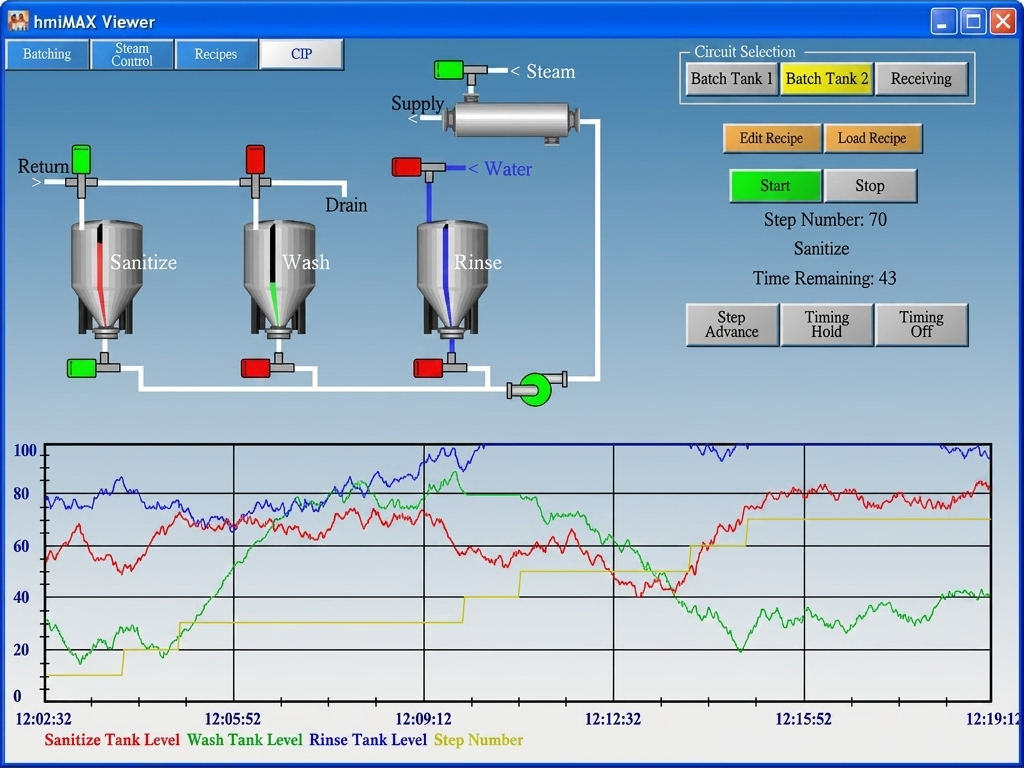
The main interface includes the active display area, navigation bar, and optional status pane. Each control element is bound to live data, and updates occur in real time. Color changes, animations, and indicators are automatically triggered by data events.
Navigation and Interaction
The Viewer supports both mouse and touch input. Swipe gestures or arrow keys can be used to navigate between pages. Buttons, sliders, and toggles can be tapped or clicked to send commands to connected devices.
Security and Permissions
Access to runtime pages and commands can be restricted by user level. Viewer connects securely using the same credentials defined in the hmiMAX Server. Logging and audit features record changes made during operation.